Meetings, training and company events
Presentations, team quizzes, questions from the room and your own fonts, on a computer anyone on the team can run. Free for Mac and Windows.
Version 0.1.0 · Windows 127 MB · Mac 230 MB · How to install it
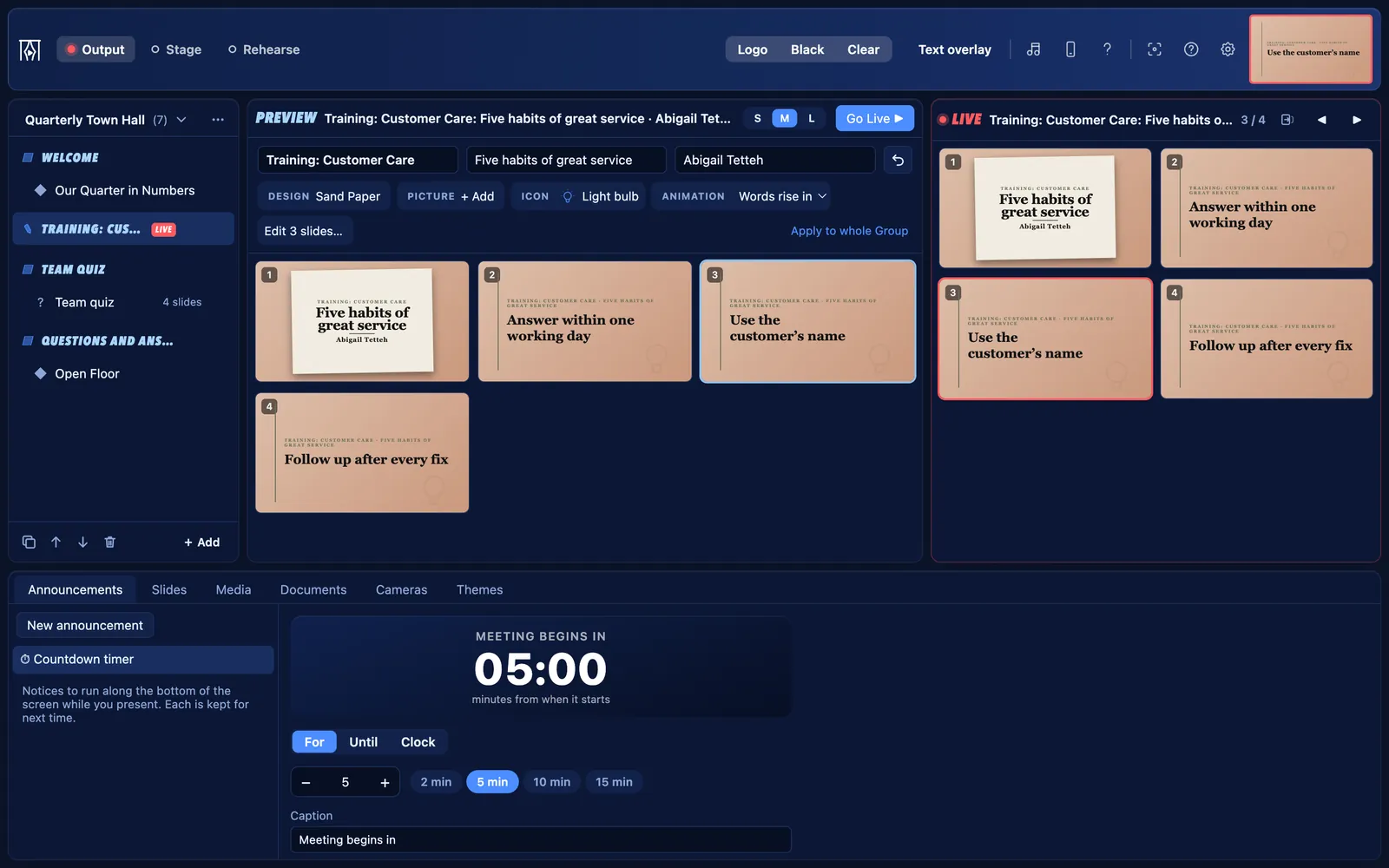
For companies, NGOs and training teams.
Meetings, training and company events
Presentations and documents
- Bring in PDFs and PowerPoint slide shows. Click animations play as they do in PowerPoint (Beta).
- Mix them with your own slides, videos and web pages in one meeting schedule.
Town halls
- Staff send questions from their phones by scanning a code on the screen. You choose which to show.
- The question page can only send a question; it never controls the screen.
Training and workshops
- Live notes puts each point on the screen as the trainer makes it.
- A stage-only timer keeps each session to time.
Team quizzes
- Type the questions, mark the answers, and reveal each answer on the next click.
A shared computer, locked
- Lock Settings with a PIN, so anyone can run the screen but no one changes the setup.
Your own brand
- Add your company’s fonts and logo, and make themes in your colours.
What “Business” starts with
Choose Business when KurtCast first opens, and these parts are on. The others are one switch away, and nothing is ever deleted.
On from the start
- Announcements: banners along the bottom of the screen, and countdowns
- Slides: slides of your own, name lists and quiz questions
- Media: pictures, videos, slideshows and web pages
- Documents: pDFs and PowerPoint slide shows
- Cameras: webcams, capture cards, phones and speaker captions
- Live notes: type points on the screen while someone speaks
- Audience questions: people send questions from their phones; you choose which to show
- Quiz questions: a question, then its answer on the next click
Also always there: themes, the stage display, remote control, the OBS and vMix overlay, backups and the PIN lock.
Switch on when you need them
- Songs: the Songs tab, the song finder and songs on the remote
- Scriptures: the Scriptures tab, Bibles and Bible search on the remote
- Song packs and hymn numbers: install hymnals and type a number to find a hymn
- Second language: songs and passages in two languages, with a switch in the toolbar
Switch any of these on in Settings → Features.
Get going
Slides, themes and your own fonts
Make your own slides, choose how words look, and add your organisation’s fonts.
5 stepsAudience questions
People send questions from their phones; you choose which to show.
4 stepsLocking Settings with a PIN
Stop changes to Settings on a shared computer, while anyone can still run the screen.
2 steps
Free for every organisation
Set it up in a minute and put your next programme on screen. No account, no internet needed.