
Put your whole service on screen
Hymns and songs, Bible passages in one or two languages, announcements and the order of service, run by your media team from one computer. Free for Mac and Windows.
Version 0.1.0 · Windows 127 MB · Mac 230 MB · How to install it
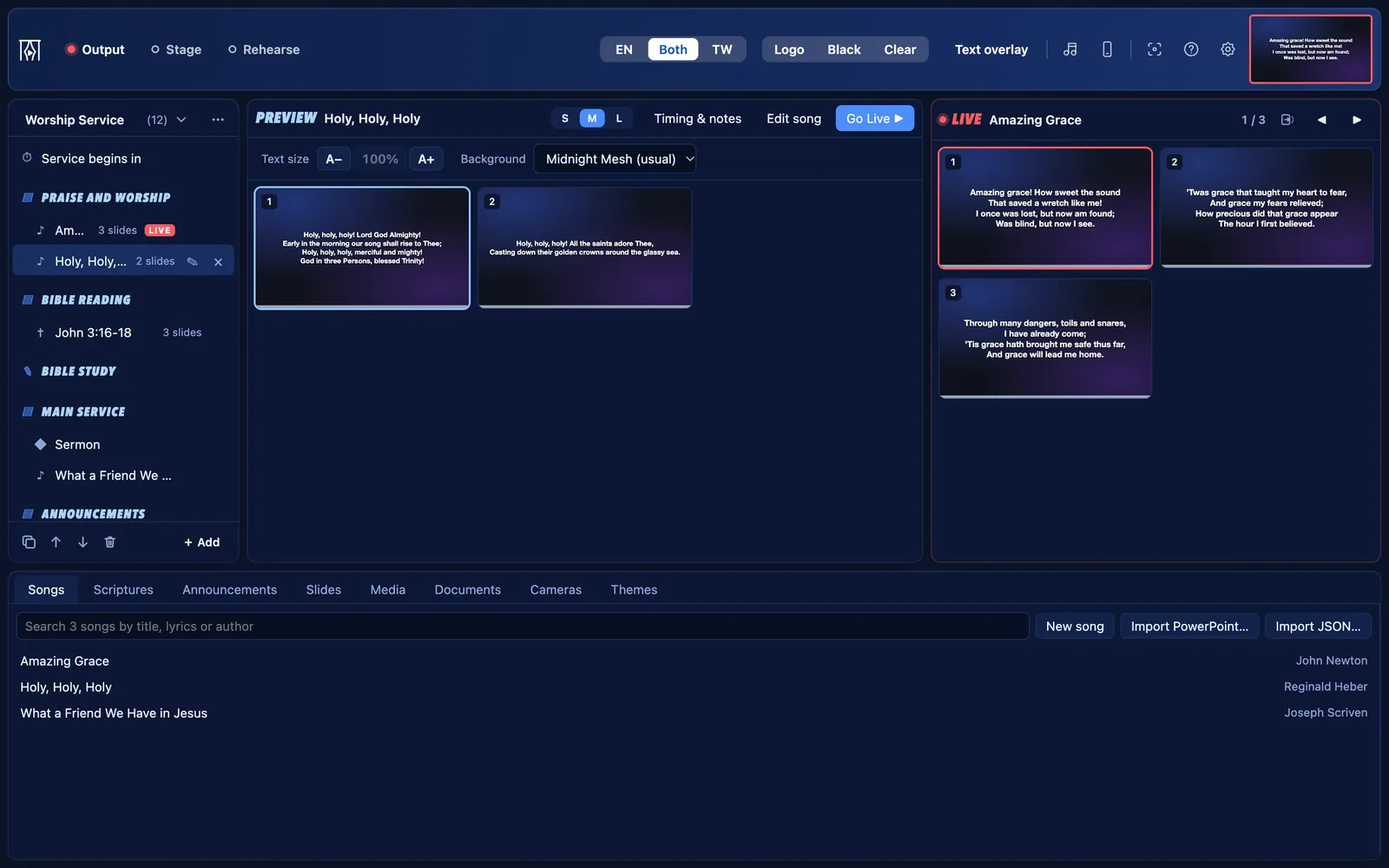
For churches of any size or tradition, and their media teams of volunteers.
Services with songs, hymns and Bible passages
Hymns and songs, by number
- Install your hymnal as a song pack, then type a hymn number anywhere to find it: 108, Enter, and it is in Preview.
- Type your own songs, or bring them in from any program with Import JSON… or Import PowerPoint….
- Jump to any verse or the chorus from the keyboard: V2 Enter for verse 2, C Enter for the chorus.
Two-language services
- Choose a main language and a second one, such as English and Twi, each with its own Bible.
- Hymns and passages show both side by side. The toolbar switch (EN | Both | TW) shows one language at full size whenever you need to.
- The musicians’ stage display always shows both.
The Bible reading
- Type John 3:16 or Yohane 3:16, and each verse becomes a slide with its reference.
- Seven Bibles come with KurtCast: the King James Version (KJV), the Berean Standard Bible (BSB), the Asante Twi Contemporary Bible, the Akuapem Twi Contemporary Bible, the Ewe Contemporary Bible, the Lutherbibel 1912 and the Reina-Valera 1909.
- Add any other translation from its USFM files. Copyrighted translations such as the NIV need your church’s licence, then Add a Bible… keeps them on that computer.
Bible studies and talks
- Add Live notes for a talk you follow as it happens. Give it a topic and the speaker’s name.
- Type each point as the speaker makes it. Enter puts it on the screen at once.
The order of service
- Build the service with Groups (Praise and Worship, Main Service) and parts under them (Sermon, Choir), each with its own title card.
- Add the agenda slide to show the order of service. Duplicate last week’s service to start the next one.
A stage display for the musicians
- The band and singers see the current words, the next slide, a clock and a message from the media desk.
- Open it on a second screen, or on a tablet or TV in any browser on your network.
What “Church” starts with
Choose Church when KurtCast first opens, and these parts are on. The others are one switch away, and nothing is ever deleted.
On from the start
- Songs: the Songs tab, the song finder and songs on the remote
- Scriptures: the Scriptures tab, Bibles and Bible search on the remote
- Song packs and hymn numbers: install hymnals and type a number to find a hymn
- Second language: songs and passages in two languages, with a switch in the toolbar
- Announcements: banners along the bottom of the screen, and countdowns
- Slides: slides of your own, name lists and quiz questions
- Media: pictures, videos, slideshows and web pages
- Documents: pDFs and PowerPoint slide shows
- Cameras: webcams, capture cards, phones and speaker captions
- Live notes: type points on the screen while someone speaks
Also always there: themes, the stage display, remote control, the OBS and vMix overlay, backups and the PIN lock.
Switch on when you need them
- Audience questions: people send questions from their phones; you choose which to show
- Quiz questions: a question, then its answer on the next click
Switch any of these on in Settings → Features.
Get going
Adding songs and hymns
Type songs, import them from any program, or install a hymnal as a song pack.
5 stepsFinding and showing Bible passages
Find a passage by reference, preview it verse by verse, and put it on screen.
6 stepsTwo-language services
Show hymns and Bible passages in two languages side by side, such as English and Twi.
4 steps
KurtCast ships no copyrighted songs. Your church needs its own licence for the songs it projects: for example a CCLI licence where one is available, or permission from the songwriters or publishers. Many local songs are not covered by any licensing scheme, so ask the songwriter.
Each song can keep its author and CCLI number.
Free for every church
Set it up in a minute and put your next programme on screen. No account, no internet needed.