Weddings, funerals, graduations and celebrations
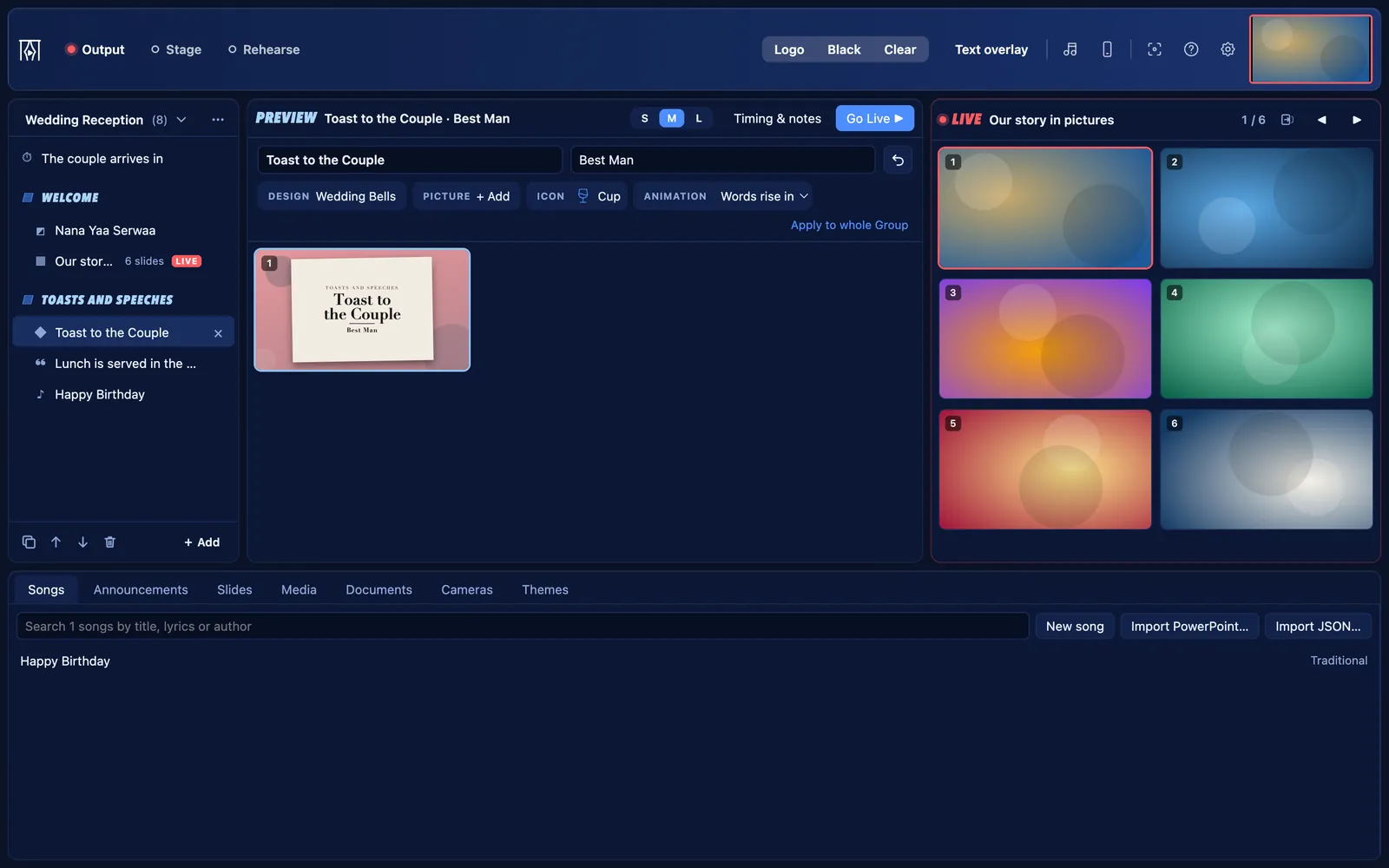
Photo slideshows with music, countdowns, names on screen and a live camera, with a remote so the MC can follow along. Free for Mac and Windows.
Version 0.1.0 · Windows 127 MB · Mac 230 MB · How to install it
For event planners, MCs, venues and hire companies.
Weddings, funerals, graduations and celebrations
Slideshows with music
- Choose the photos, set how long each one shows, and add music. The music plays while the slideshow is on the screen.
- Pictures show whole, never cropped, unless you choose to fill the screen. iPhone photos work too.
Names on screen
- Show a name caption for each speaker, or a name list for awards and graduations.
Countdowns, and words over a camera
- Count down to the entrance or the start, in one of six designs.
- Put a camera on the screen with song words or a countdown in a band along the bottom, and switch between cameras without dropping the words.
The announcements banner
- Run a notice along the bottom of the screen, over whatever is showing: “Lunch is served in the hall”.
Smooth transitions
- Choose how slides change: Fade, Dissolve, Curtains open, Iris, Zoom and more, at three speeds.
A remote for the MC or planner
- Anyone with a phone on your Wi‑Fi can see what is live and what comes next, move the slides, and chat with the operator.
What “Event” starts with
Choose Event when KurtCast first opens, and these parts are on. The others are one switch away, and nothing is ever deleted.
On from the start
- Songs: the Songs tab, the song finder and songs on the remote
- Announcements: banners along the bottom of the screen, and countdowns
- Slides: slides of your own, name lists and quiz questions
- Media: pictures, videos, slideshows and web pages
- Documents: pDFs and PowerPoint slide shows
- Cameras: webcams, capture cards, phones and speaker captions
Also always there: themes, the stage display, remote control, the OBS and vMix overlay, backups and the PIN lock.
Switch on when you need them
- Scriptures: the Scriptures tab, Bibles and Bible search on the remote
- Song packs and hymn numbers: install hymnals and type a number to find a hymn
- Second language: songs and passages in two languages, with a switch in the toolbar
- Live notes: type points on the screen while someone speaks
- Audience questions: people send questions from their phones; you choose which to show
- Quiz questions: a question, then its answer on the next click
Switch any of these on in Settings → Features.
Get going
Countdowns and the exam clock
Count down to the start, time a speaker, or run an exam.
4 stepsThe remote control on a phone
Run the screen from any phone or tablet on your network, with no app to install.
5 stepsSpeaker captions and name lists
Put a speaker’s name on screen, and make a slide for everyone on a list.
5 steps
Free for every event
Set it up in a minute and put your next programme on screen. No account, no internet needed.